
Want to turn your Twitch chat into actual undead cemetery workers, capricious deities, and a rebellious undead union?
Graveyard Overlord is a comprehensive Twitch integration mod designed specifically for Graveyard Keeper 2. Built natively using BepInEx 5 and Harmony, it allows your broadcast viewers to name zombies, trigger worker strikes, vote on sermon rewards, and curse your gameplay with built-in anti-troll safeguards.
In this guide, we’ll walk through the quick 5-minute setup, explain every viewer command, and cover the streamer protections built directly into the mod.
⚡ Quick 5-Minute Installation Guide #
Setting up the mod requires no complex config editing or manual token copying—it uses Twitch’s modern Device Code authorization directly from the in-game main menu!
Prerequisites #
- Operating System: Windows (64-bit Windows 11 recommended)
- Game: Graveyard Keeper 2 (Steam edition)
- Mod Loader: BepInEx 5 (64-bit) (Important: Make sure to download
BepInEx_win_x64_5.4.x.zip, not BepInEx 6)
Step 1: Install BepInEx 5 #
-
Open your game root folder in Steam:
- Right-click Graveyard Keeper 2 in your Steam Library > Manage > Browse local files (this is the folder containing
GraveyardKeeper2.exe).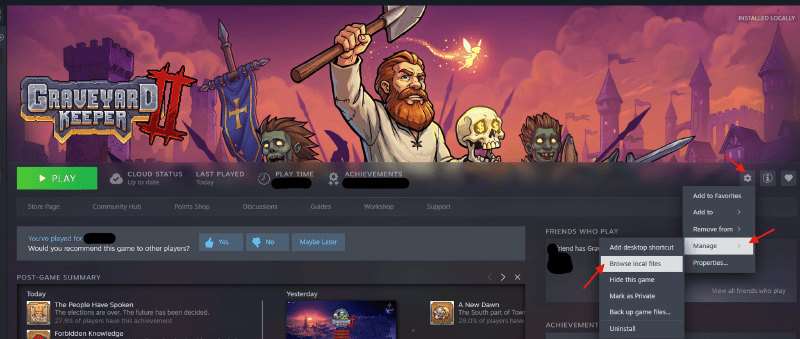
Browse local files
- Right-click Graveyard Keeper 2 in your Steam Library > Manage > Browse local files (this is the folder containing
-
Extract the contents of
BepInEx_win_x64_5.4.x.zipdirectly into this folder. Ensurewinhttp.dllsits right next toGraveyardKeeper2.exe. -
Launch the game once and quit to generate the default mod directories. You will now see a
BepInEx/pluginsfolder.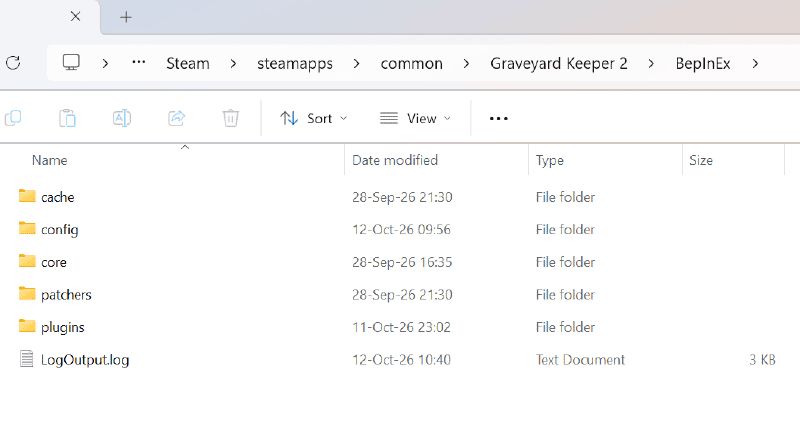
BepInEx/plugins folder
Step 2: Install Graveyard Overlord #
- Download the latest
GraveyardOverlord-<version>.zipfrom Nexus Mods. - Unzip it directly into the game folder (allow merging when prompted).
- Verify that
BepInEx/plugins/GraveyardOverlord/GraveyardOverlord.dllexists.
Step 3: Link Your Twitch Channel (One-Click Auth) #
- Start Graveyard Keeper 2. In the main menu, click the new Connect Twitch button.
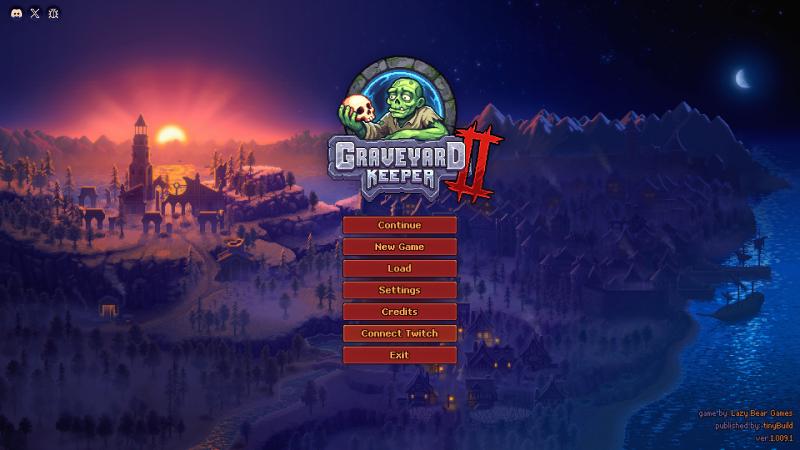
Click Connect Twitch button - Your default web browser will automatically open Twitch’s activation page with your one-time code pre-filled.
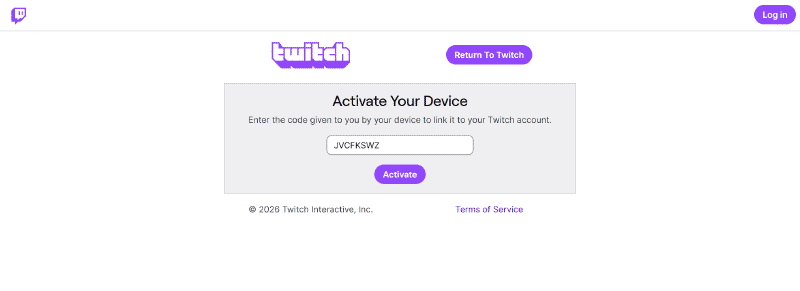
Click Active button - Log in with the Twitch account of the channel you stream on and click Authorize.
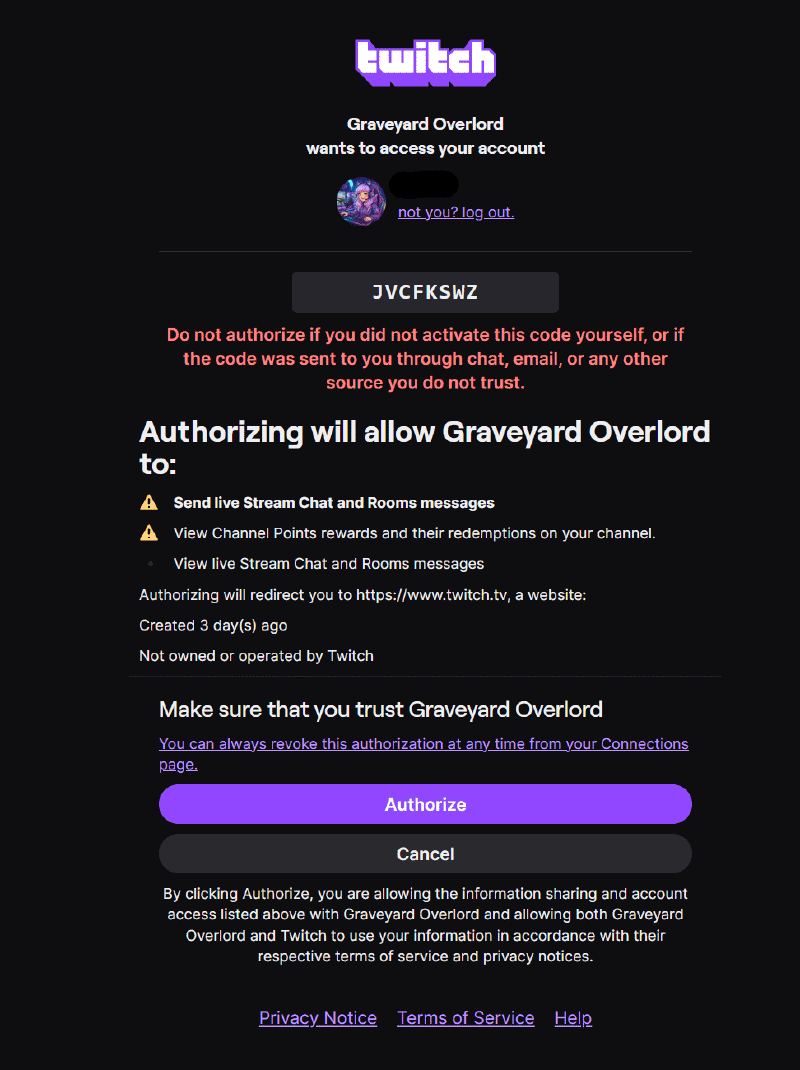
click Authorize button - Return to the game. The button will update to display
Twitch: <your_username>.
Step 4: Verify the Connection #
Ask a viewer (or test it yourself in your own chat room) to send !speed command.
A native notification will pop up in the game’s UI and you are moving faster 2x! Now you are officially live and connected!
🔒 Privacy & Token Security Note:
The mod only requests chat:read, chat:edit (used exclusively for optional poll announcements) and channel:read:redemptions (for the future features as planning). Your authentication refresh token is encrypted specifically for your Windows user profile inside BepInEx/config/GraveyardOverlord.token.json. Your credentials remain secure and are never displayed in plain text or broadcasted.
📜 Full Viewer Command Reference #
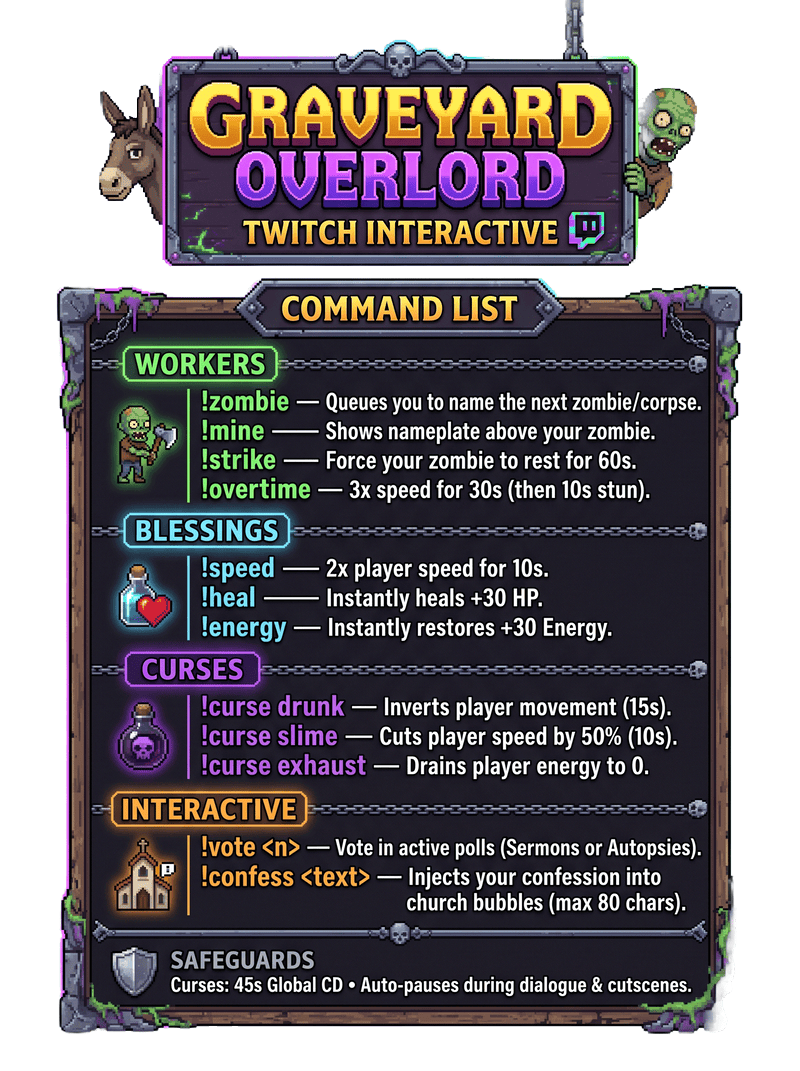
| Command | Category | In-Game Effect | Rules & Limits |
|---|---|---|---|
!zombie |
Workers | Queues the viewer’s name to claim the next crafted zombie or corpse. | 1 queue slot per viewer at a time. |
!mine |
Workers | Locates your assigned zombie and highlights a floating nameplate above it. | Max once per 10s per viewer. |
!strike |
Workers | Forces your assigned zombie to drop tools and rest for 60 seconds. | Max once per 10s per viewer. |
!overtime |
Workers | “Supercharges your zombie to work at 3x speed for 30s, followed by a 10s stun.” | Cannot stack; ignored while striking/stunned. |
!speed |
Blessing | Grants a 2x movement speed burst for 10 seconds. | 30s global cooldown; paused during dialogue/cutscenes. |
!heal |
Blessing | Instantly restores 30 HP. | “3s shared CD, 30s per-viewer CD.” |
!energy |
Blessing | Instantly restores 30 Energy. | “3s shared CD, 30s per-viewer CD.” |
!curse drunk |
Curse | Inverts WASD movement controls for 15 seconds. | Shared 45s cooldown; 120s per-viewer CD. |
!curse slime |
Curse | Cuts movement speed by 50% for 10 seconds. | Shared 45s cooldown; cancels early if combat starts. |
!curse exhaust |
Curse | Instantly drains the Keeper’s energy bar to 0. | Shared 45s CD + individual 120s cooldown. |
!vote <n> |
Democracy | “Casts a vote in the active poll:• Sermon (1-10): Multiplies sermon gold & faith by Avg / 5.5.• Autopsy (1-8): Chat votes to harvest (1: Flesh, 2: Bones, 3: Brain, 4: Blood, 5: Heart, 6: Guts, 7: Skull, 8: Skin).” | Active for 15–20s; one vote per viewer (new votes overwrite old ones). |
!confess <text> |
Church | Injects custom viewer confessions (max 80 chars) directly into church NPC speech bubbles! | Queues up to 10 lines per sermon. |
📥 Download Links & Community #
- Mod Download: Get the latest release on Graveyard Overlord - Twitch Chat and Streamer Integration at Nexus mods and community | Nexus mods
- Supported Languages: Built-in in-game notifications for English, French, and Simplified Chinese. The mod fully supports external translations without recompiling!
en.jsonserves as the base template for all in-game text. Feel free to share your community translations on Nexus Mods to have them bundled in upcoming releases!