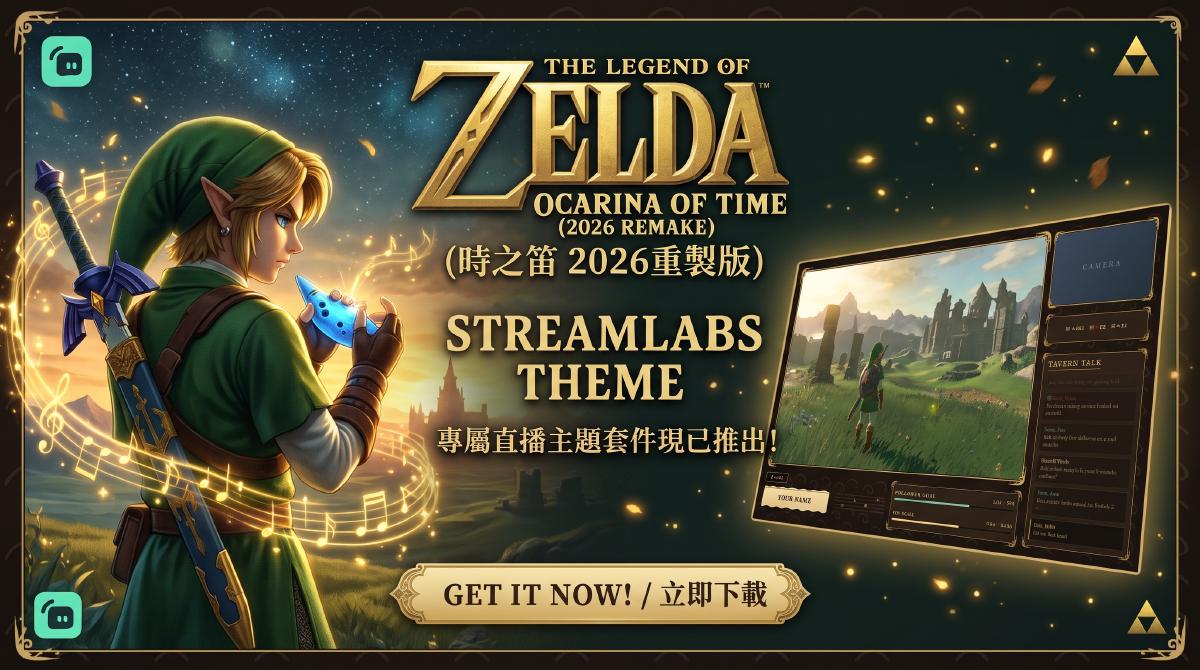
I wanted this streamlabs theme to feel like opening an old adventurer’s journal: aged parchment, warm earth-brown wood lit by firelight, the deep black of a forest at night, and gold glinting between the lines. Rather than pasting game art onto the stream, it captures the mood of setting out on a journey, so your viewers know an adventure is about to begin the moment they arrive.
The design idea #
-
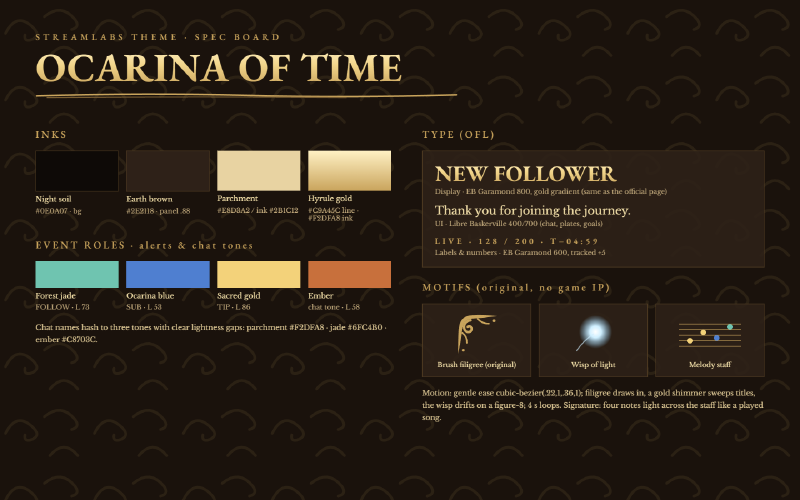
A hand-lettered manuscript feel. Titles are set in EB Garamond and body text in Libre Baskerville, the same type families used on the game’s official page. Every corner carries a hand-drawn brush filigree that swells and tapers like a stroke of gilded ink, and name plates and alert banners use torn-edge parchment, as if ripped from the corner of a map.
-
Overlays that play a melody. A small musical staff runs through the frames and layouts, and its four notes light up one after another, like someone playing a short tune. A tiny wisp of light drifts across the screen alongside you.
-
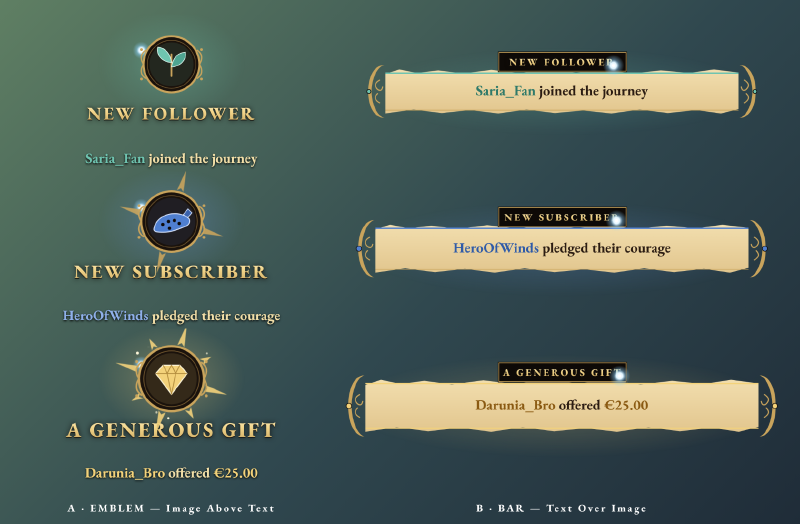
Color that tells the story. Follows glow forest jade, subs glow ocarina blue and tips shine sacred gold. The three are far enough apart in brightness to tell at a glance, and the bigger the moment, the grander the alert.
-
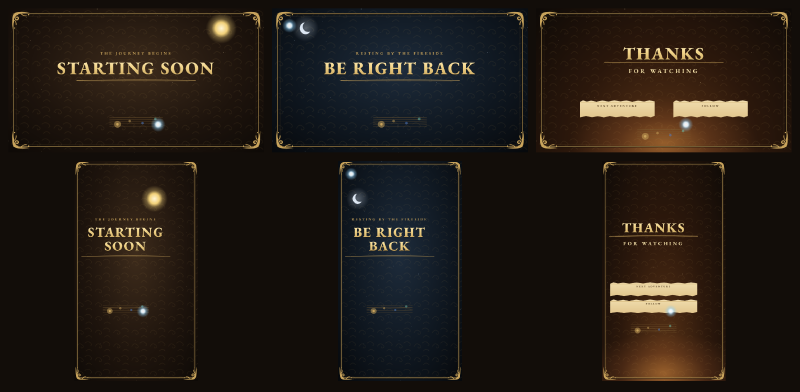
Scenes that follow the day. Starting Soon basks in morning sun, Be Right Back rests under a crescent moon, and the Ending scene gathers around a warm campfire. Each comes with an original seamless music loop built from harp, an ocarina-like flute and celesta.
What’s inside #
- Alert Box media for Follows, Subs and Tips, in an emblem style and a parchment banner style, with original alert sounds
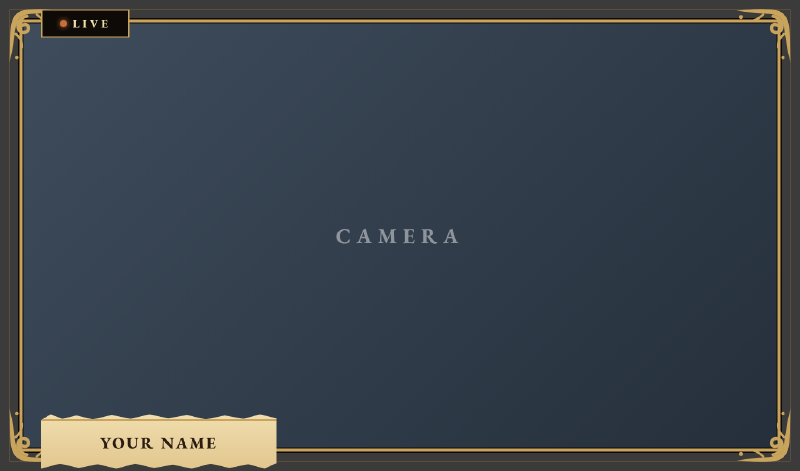
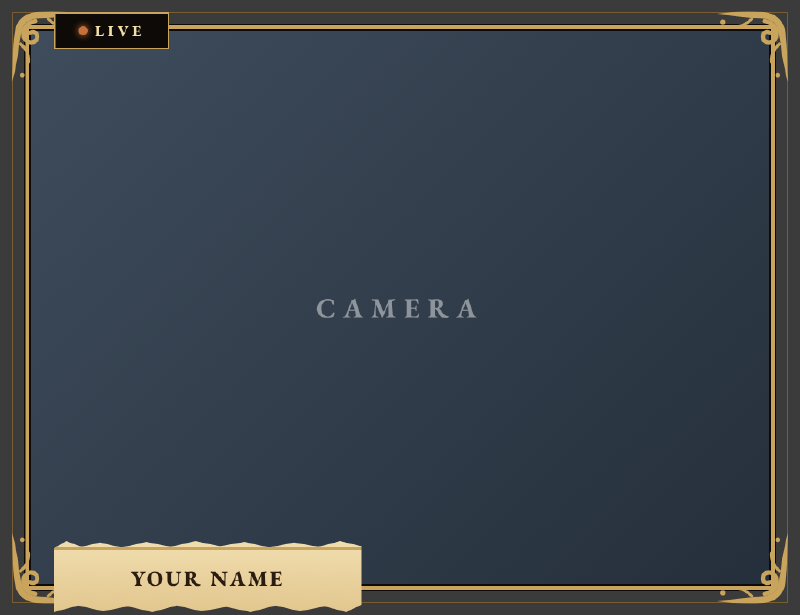
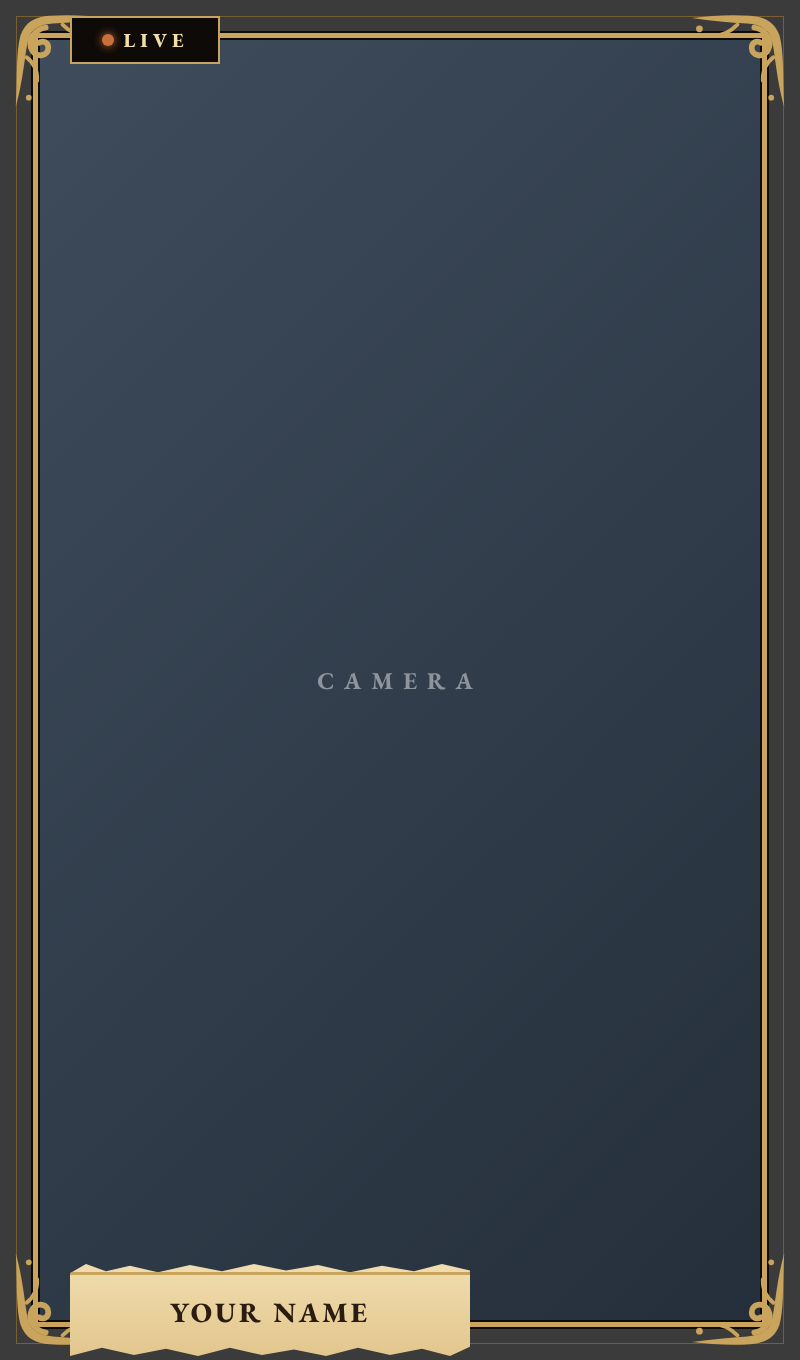
- Webcam frames in 16:9, 4:3 and 9:16
-
Chat Box, Follower Goal, Tip Goal and Viewer Count widgets (with platform icons)
-
Four layouts: PC and vertical (TikTok), each with and without a camera. The vertical layouts keep clear of TikTok’s on-screen UI.
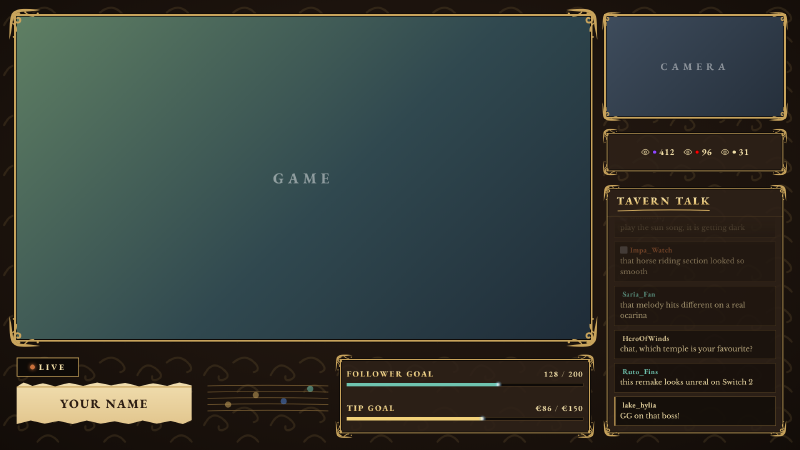
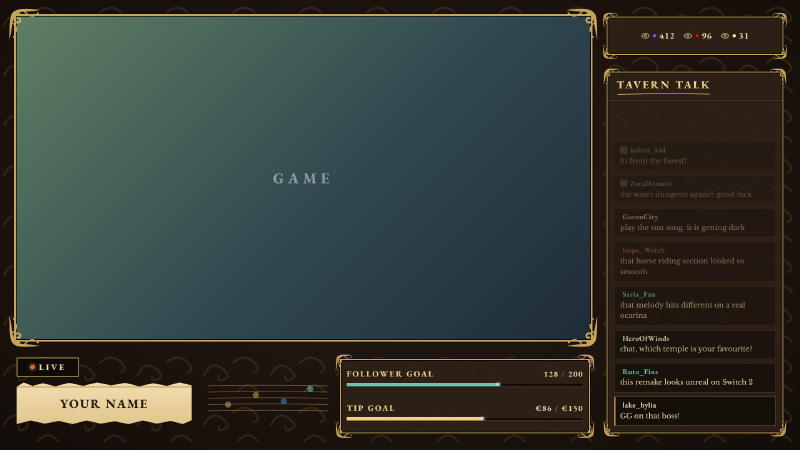
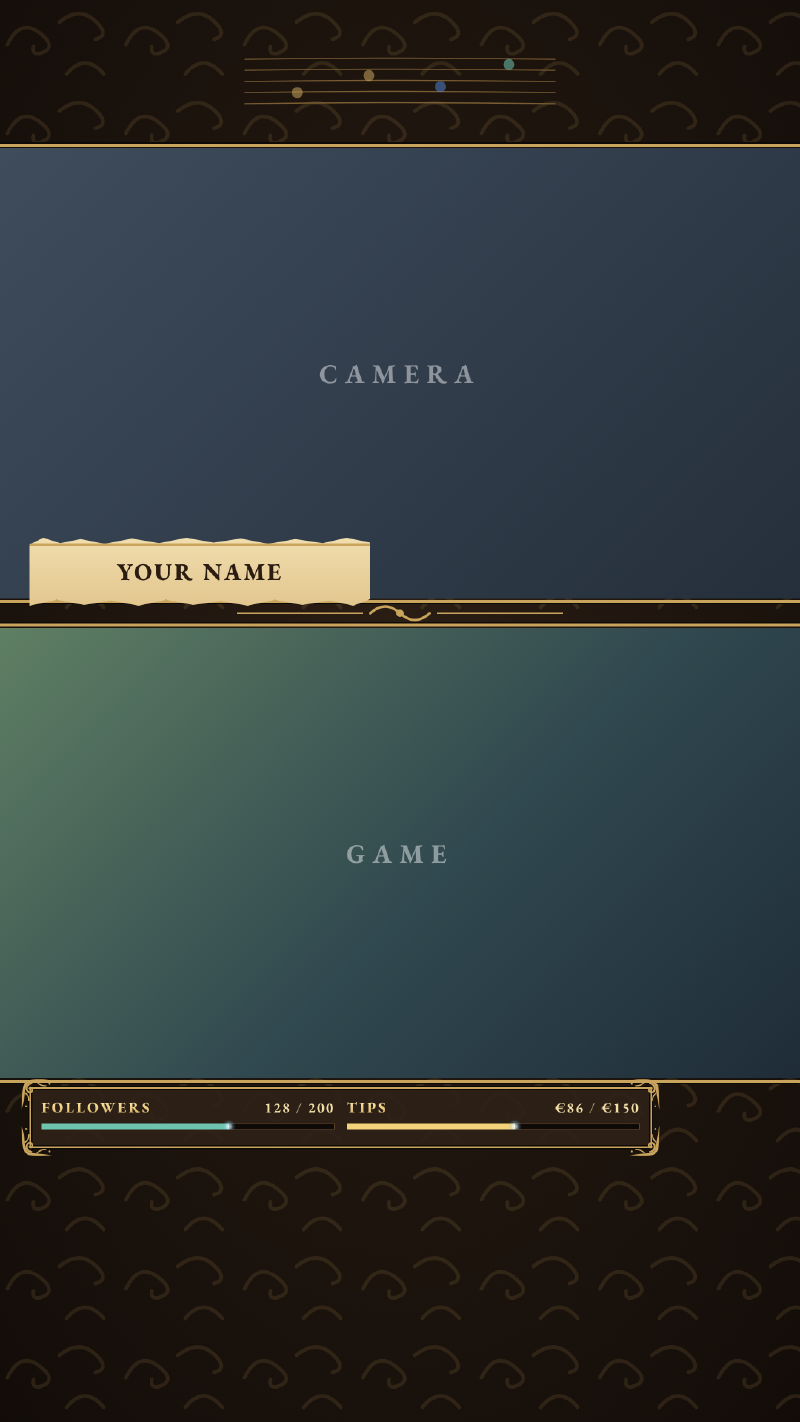
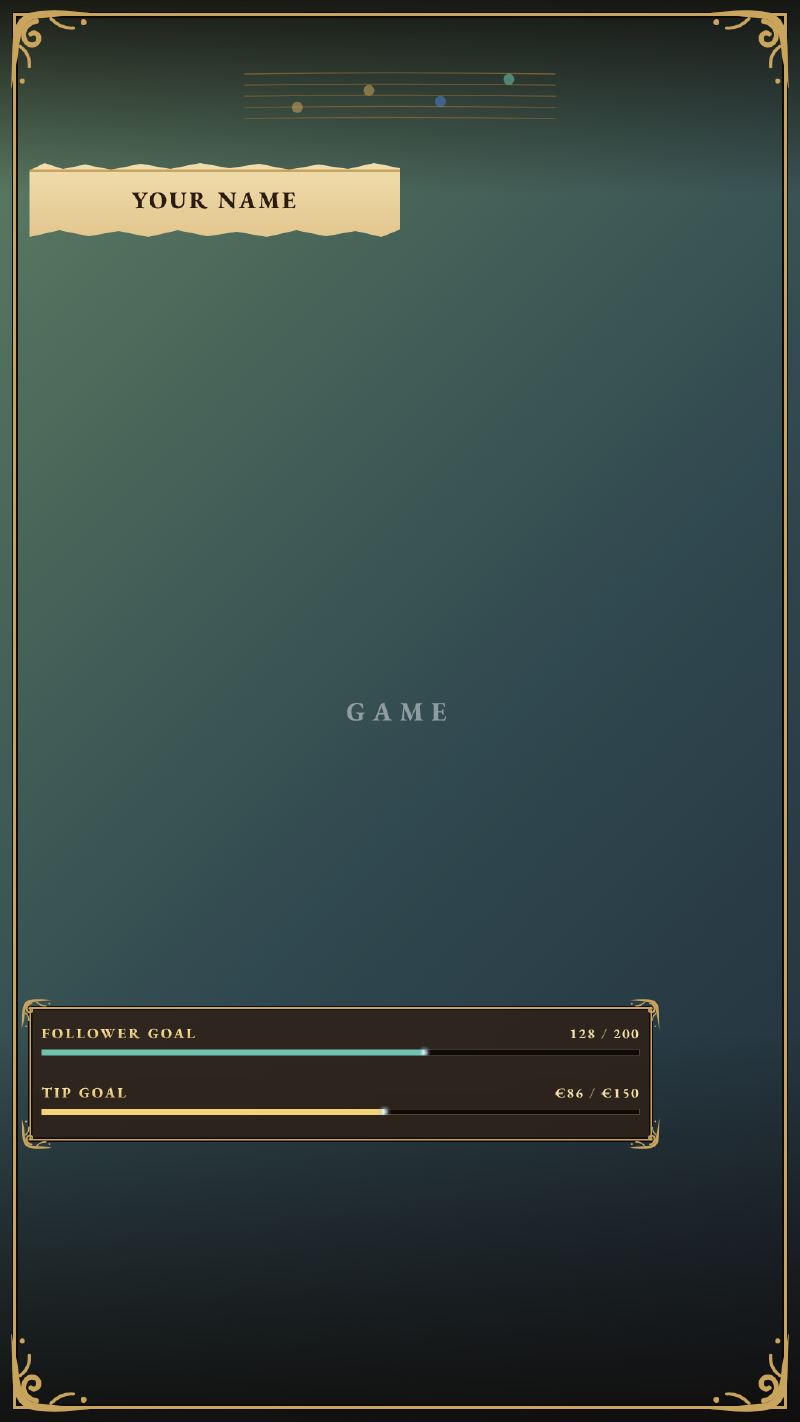
- Starting / Be Right Back / Ending scenes in landscape and vertical, with music plus live HTML versions that show a custom countdown
- A parchment-page Stinger transition
- Step-by-step setup guides in English and French
This is an unofficial fan-made theme. It is not affiliated with Nintendo and contains no Nintendo artwork, characters, logos or music.
Download #
Unzip it and you’ll find the folder below. Each main folder comes with its own setup guide in English and French, so you can follow along step by step in Streamlabs:
 1OcarinaOfTimeStreamlabTheme/
 2├── OcarinaOfTime_layouts_Guide_EN.pdf   ← guide for frames, chat, widgets & layouts
 3├── OcarinaOfTime_layouts_Guide_FR.pdf
 4├── AlertBox/                            ← Follow / Sub / Tip alerts
 5│   ├── setup guide EN / FR, preview
 6│   ├── media/      emblem + banner alert animations (transparent WebM)
 7│   └── sounds/     original alert sounds (MP3 + WAV)
 8├── Layouts/                             ← four layouts
 9│   ├── PC with / without camera (1920×1080)
10│   ├── vertical with / without camera (1080×1920)
11│   ├── PNG + 4 s looping WebM + preview for each
12│   ├── layout_geo.json (exact slot positions)
13│   └── TikTok safe-zone guide
14├── Scenes/                              ← Starting / BRB / Ending
15│   ├── setup guide EN / FR, preview
16│   ├── 48 s landscape + vertical videos (MP4 + WebM, music included)
17│   ├── html/        live versions with a custom countdown and text
18│   ├── music/       three original music loops
19│   ├── png/         still images
20│   └── transition/  Stinger transition (with sound / silent)
21├── Webcam/                              ← 16:9, 4:3 and 9:16 frames
22└── Widgets/                             ← code to paste into Streamlabs
23    ├── chatbox/
24    ├── follower goal/
25    ├── tip goal/
26    └── viewer count/
Tip: start with the OcarinaOfTime_layouts_Guide in the main folder. It has a table of exactly where each piece goes, which makes setup much quicker.
Enjoying it? Buy me a coffee ☕ #
Every part of this theme — the palette, the type, the hand-drawn corners, each alert sound and music loop — was crafted piece by piece, and it’s free to download. If it brings a little sense of adventure to your stream, or you simply like what it’s trying to do, a small tip helps me keep making more themes like this.
And if tipping isn’t for you, that’s completely fine! Sharing this post with a streamer friend who loves the game, or sending me a screenshot of the theme on your stream, means just as much. May every stream be a great journey.